Which situation are you in?
- A — I haven’t set up CrewHub calendar sync and don’t have a public calendar yet
- B — I have a public calendar but haven’t connected CrewHub to it yet
- C — CrewHub is already syncing, but my calendar isn’t public
- D — CrewHub is syncing to a public calendar — I just need the URL
- Test my calendar URL →
- My calendar URL used to work but stopped →
- Update my settings (calendar URL, home airport, etc.) →
Note: CrewWX requires an iCloud calendar URL. If you sync CrewHub to Google Calendar or another app, contact us.
A — Full Setup ▼
You haven’t connected CrewHub to a calendar yet and don’t have a public iCloud calendar. We’ll set everything up from scratch.
Step 1: Create an iCloud calendar
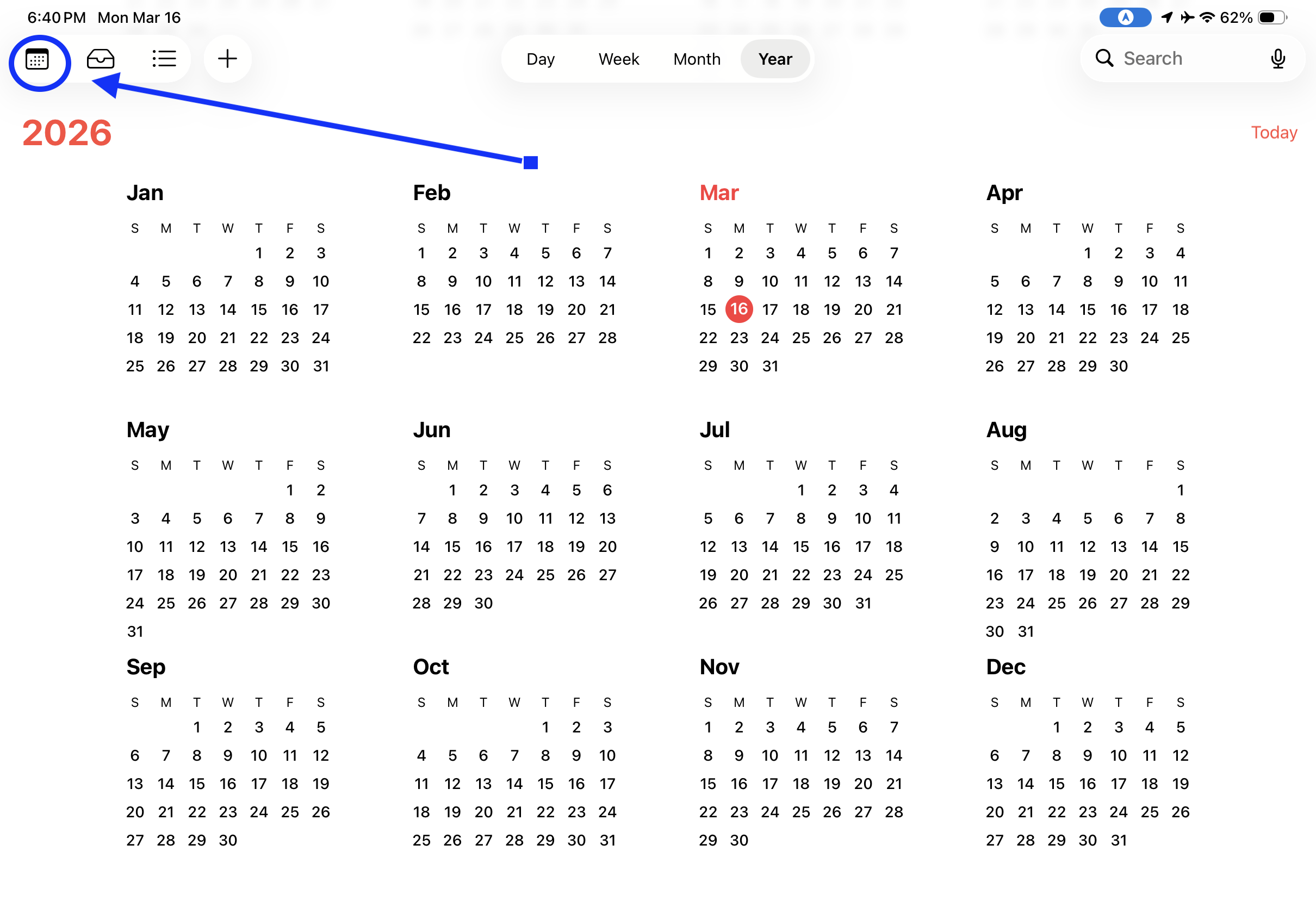
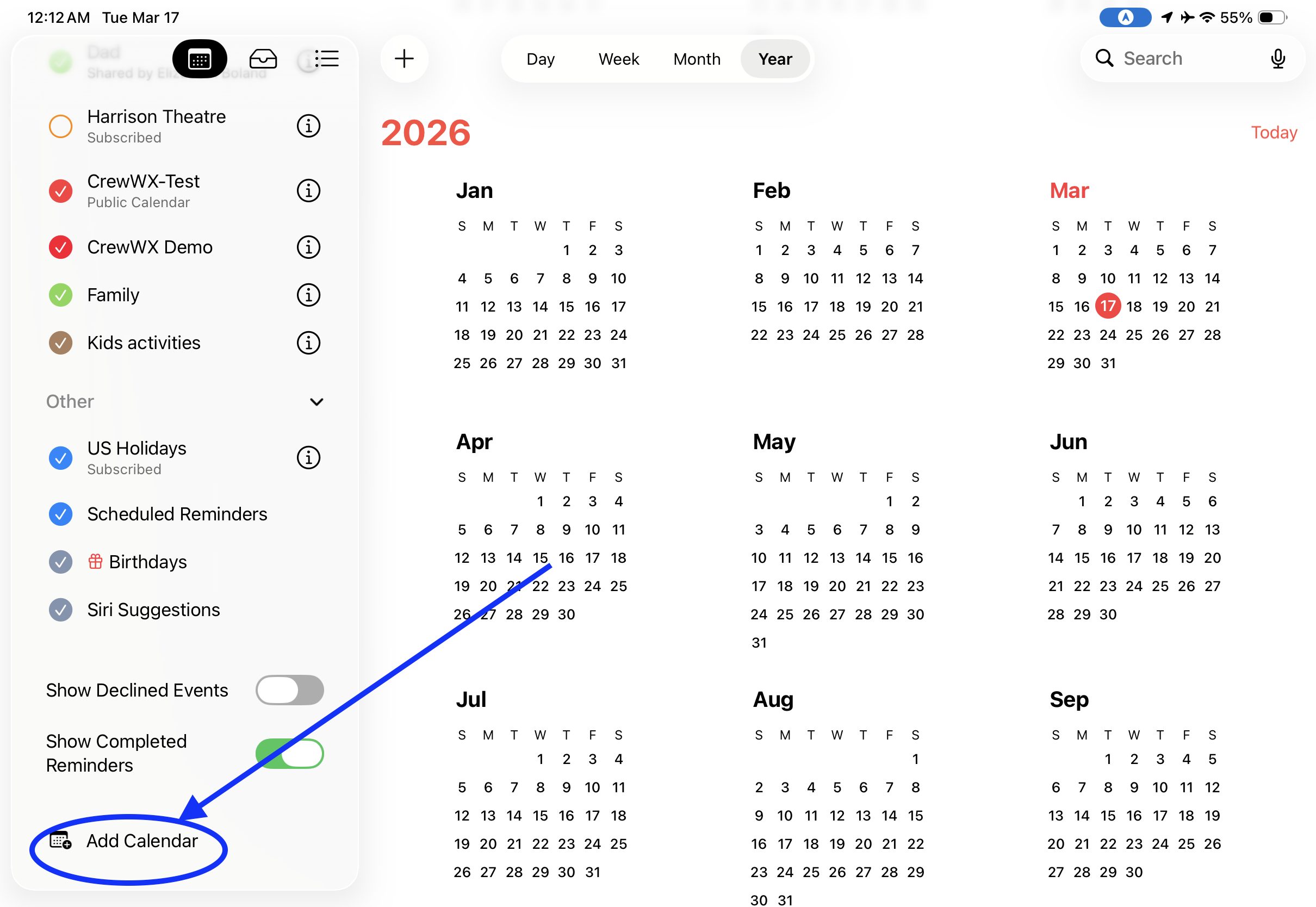
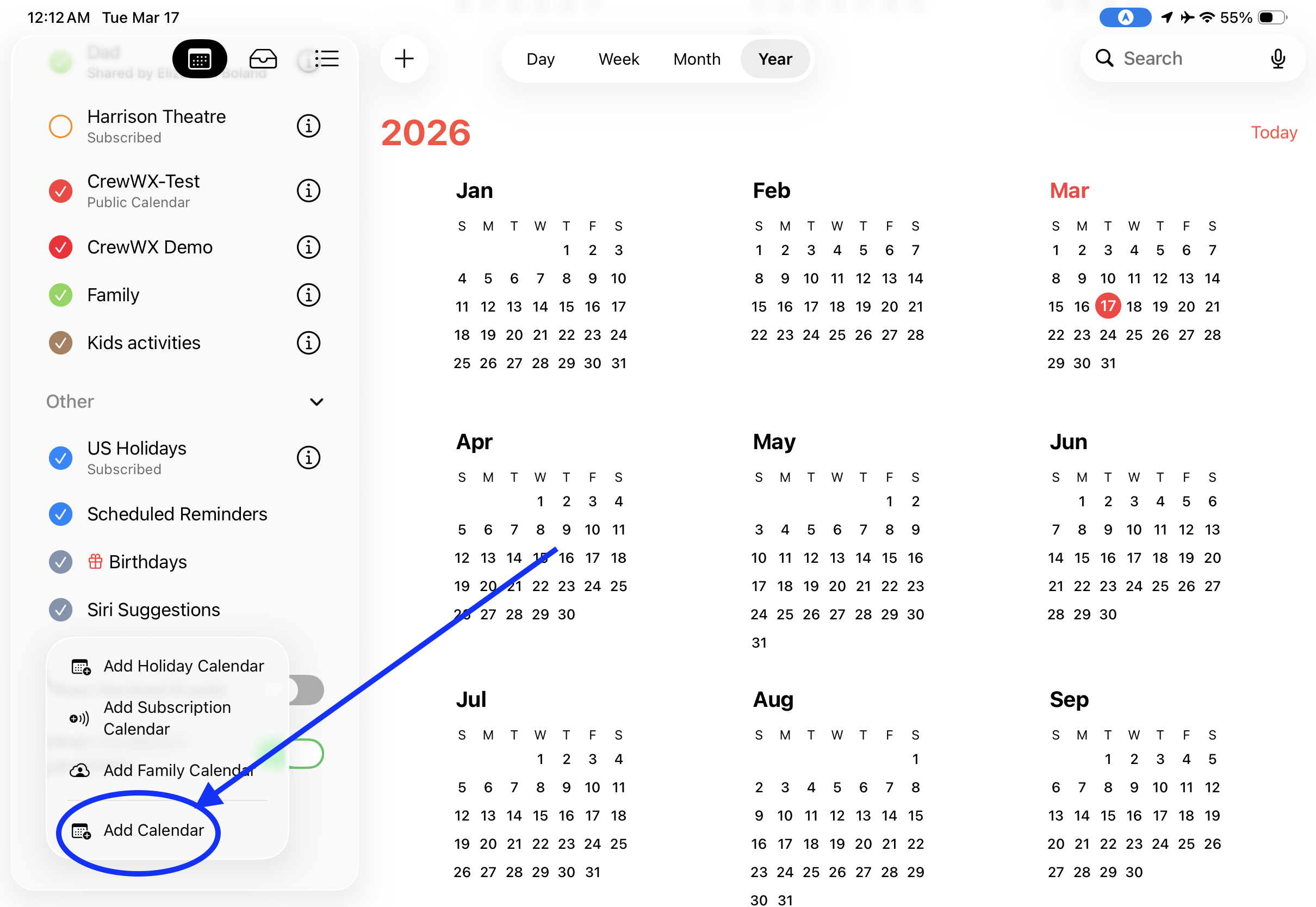
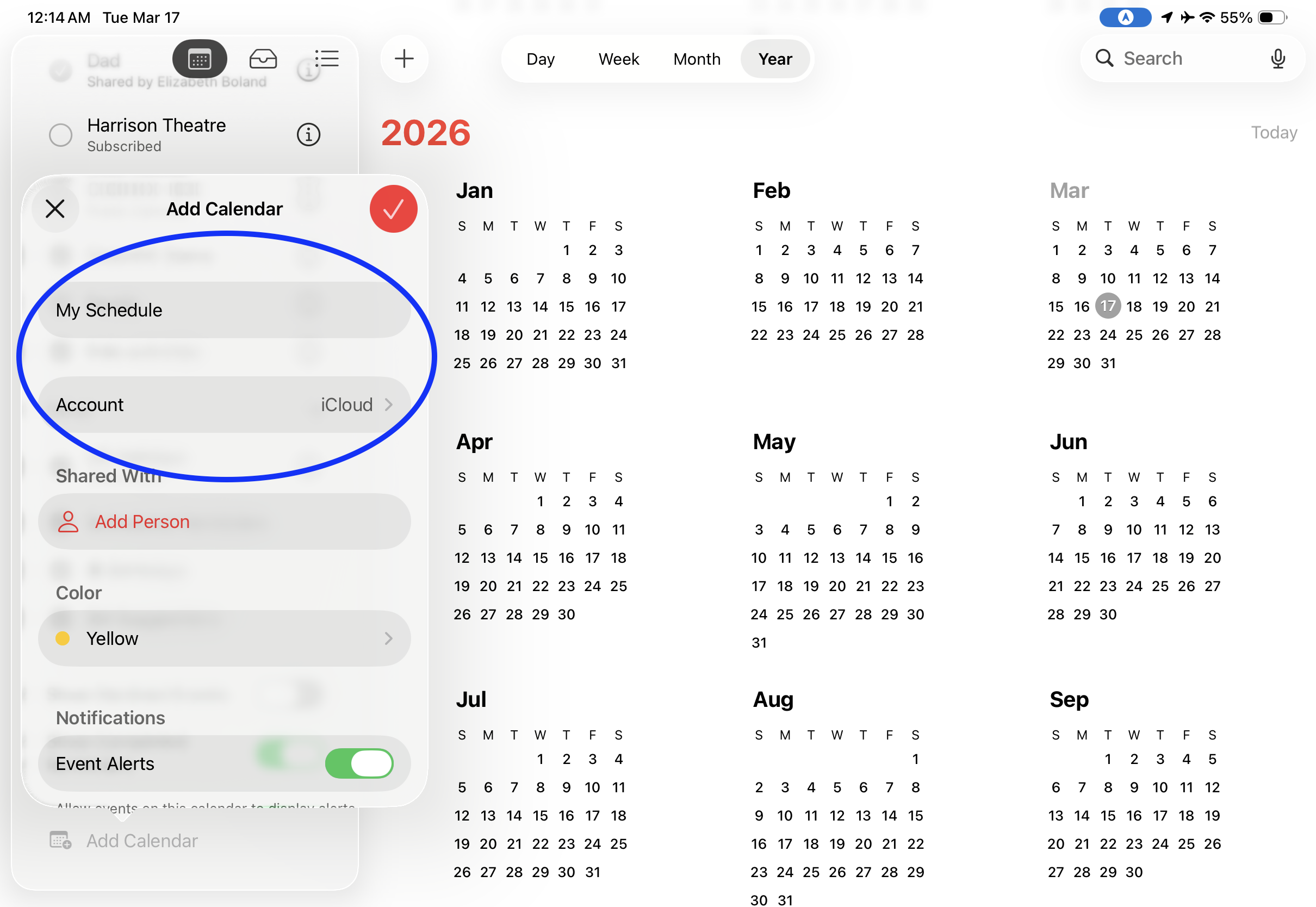
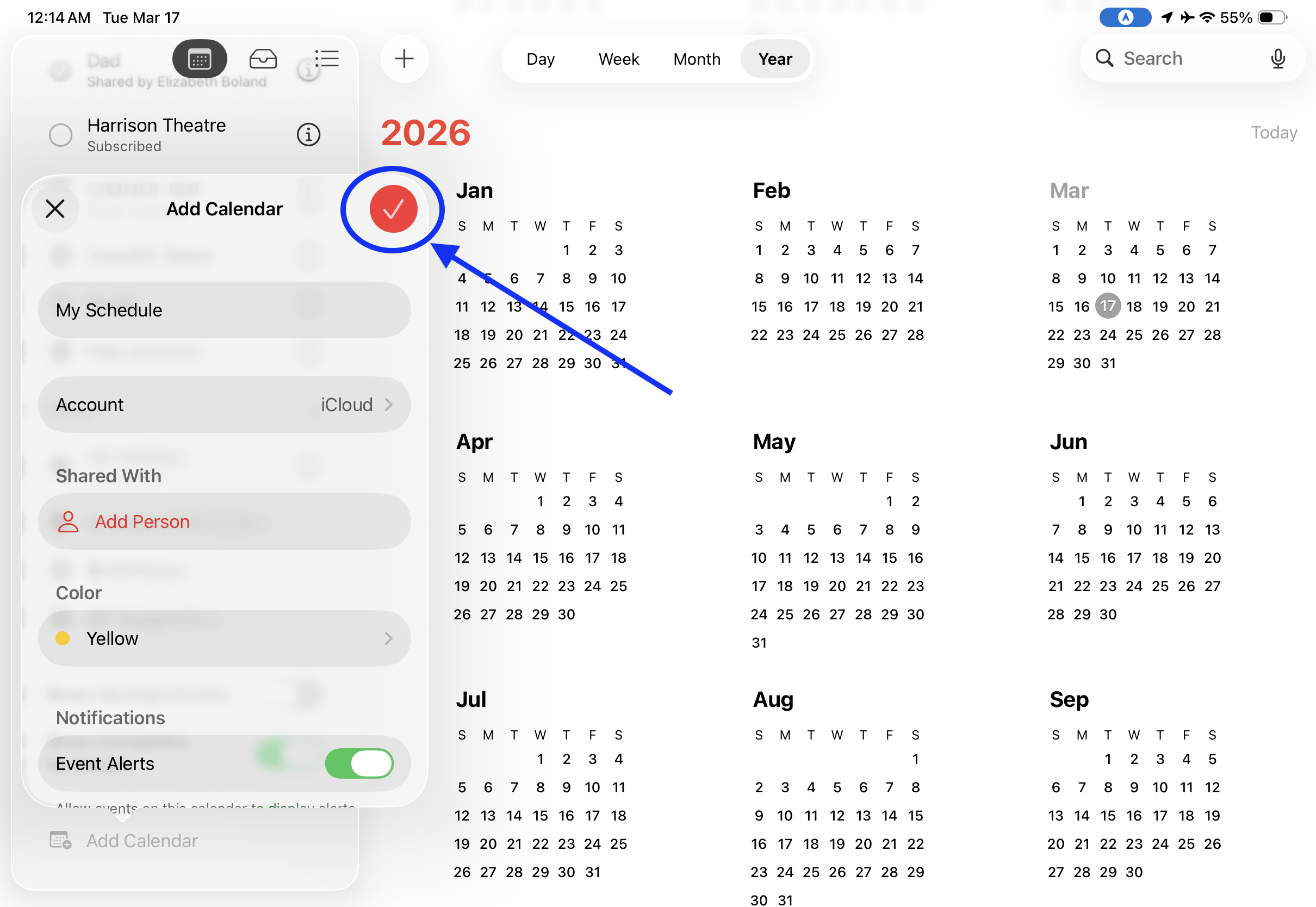
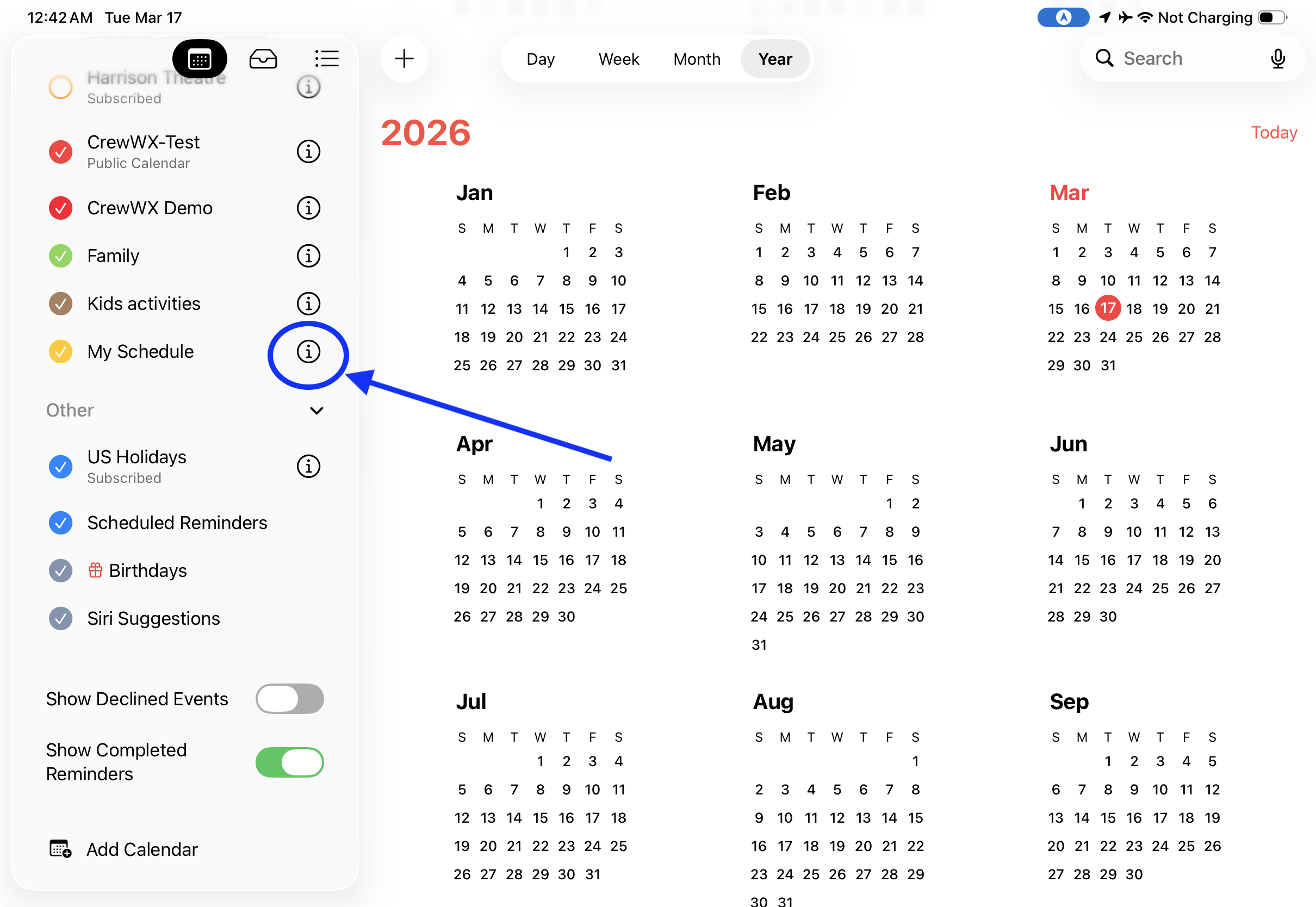
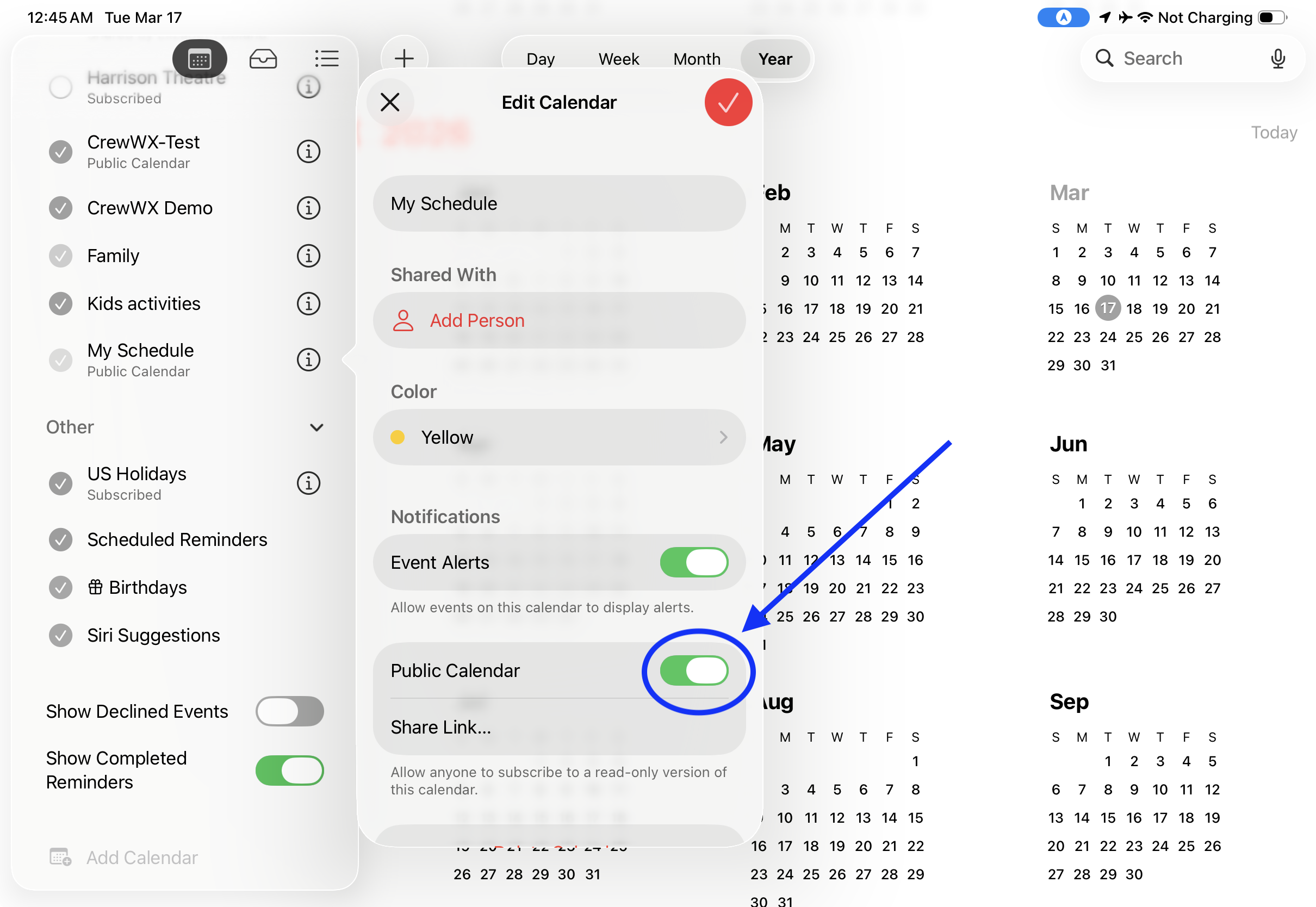
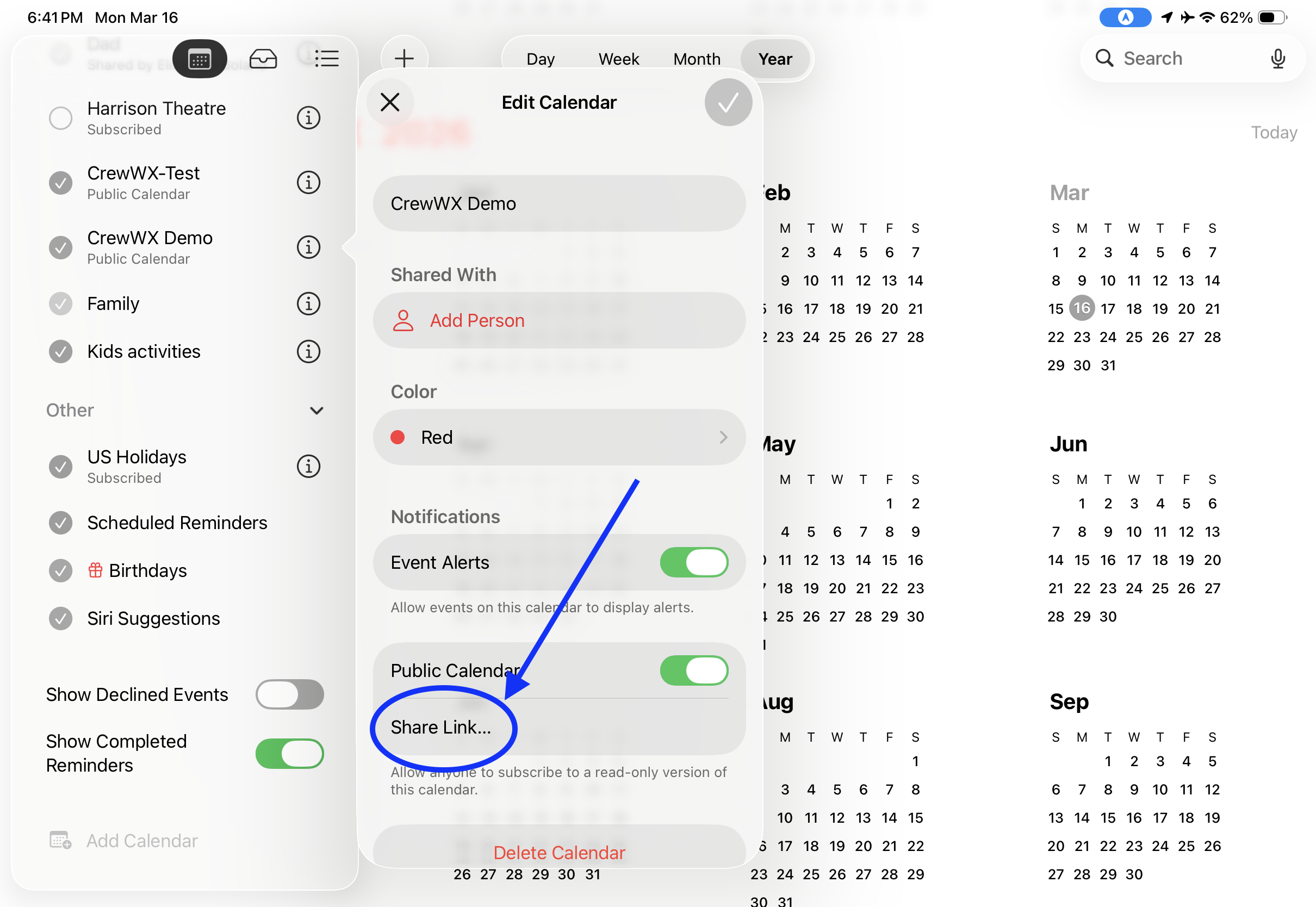
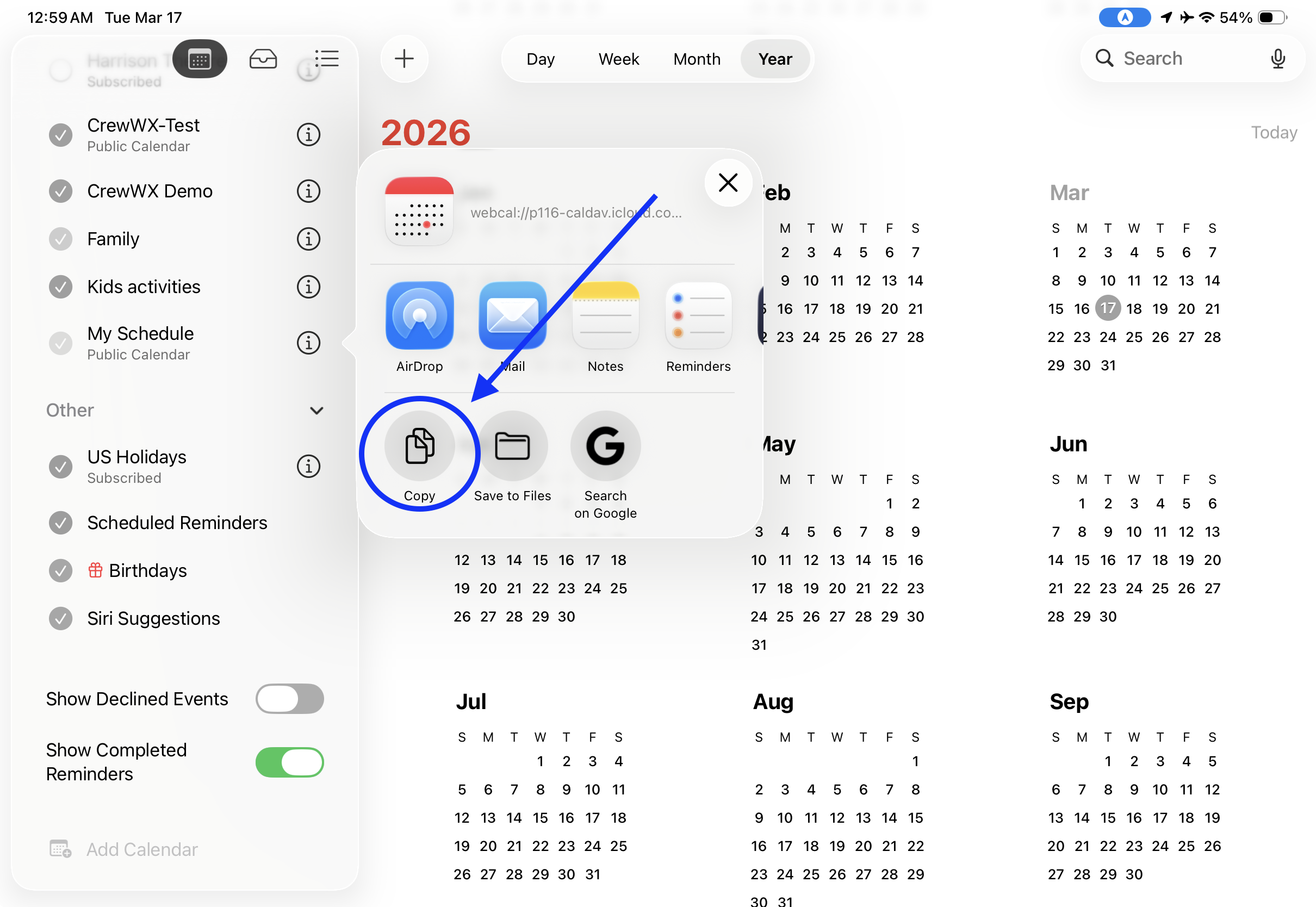
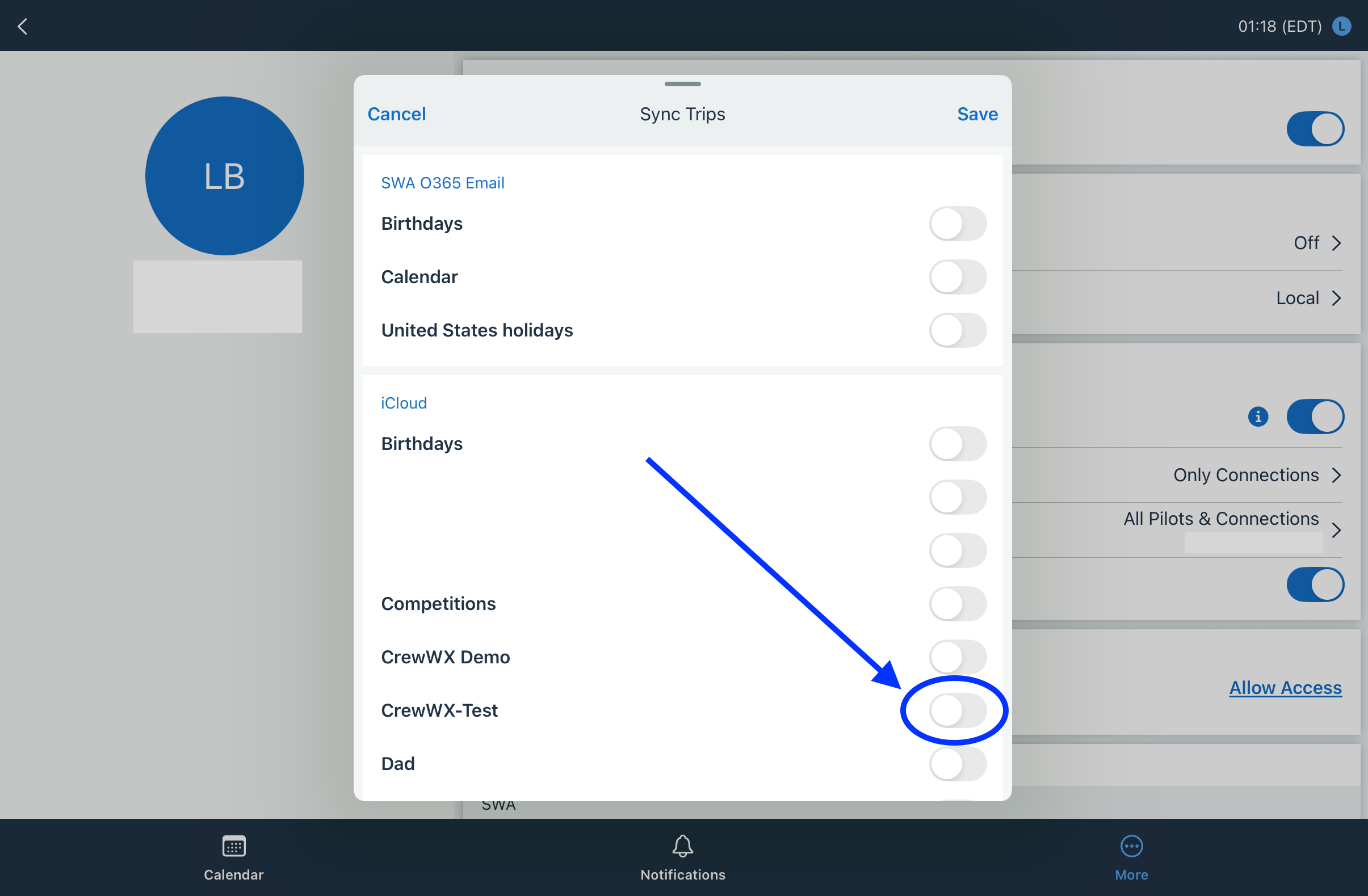
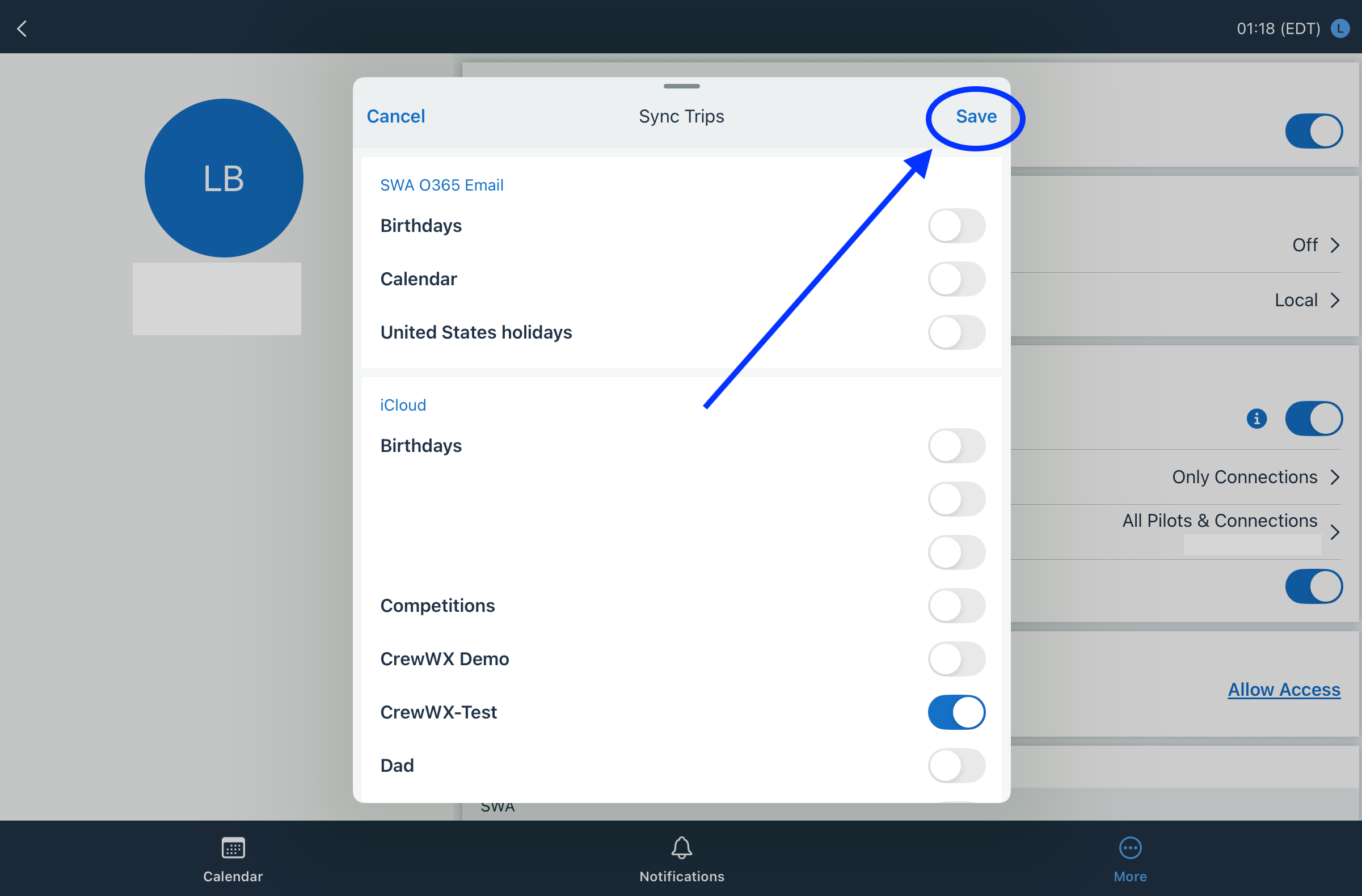
Step 2: Connect CrewHub to your new calendar
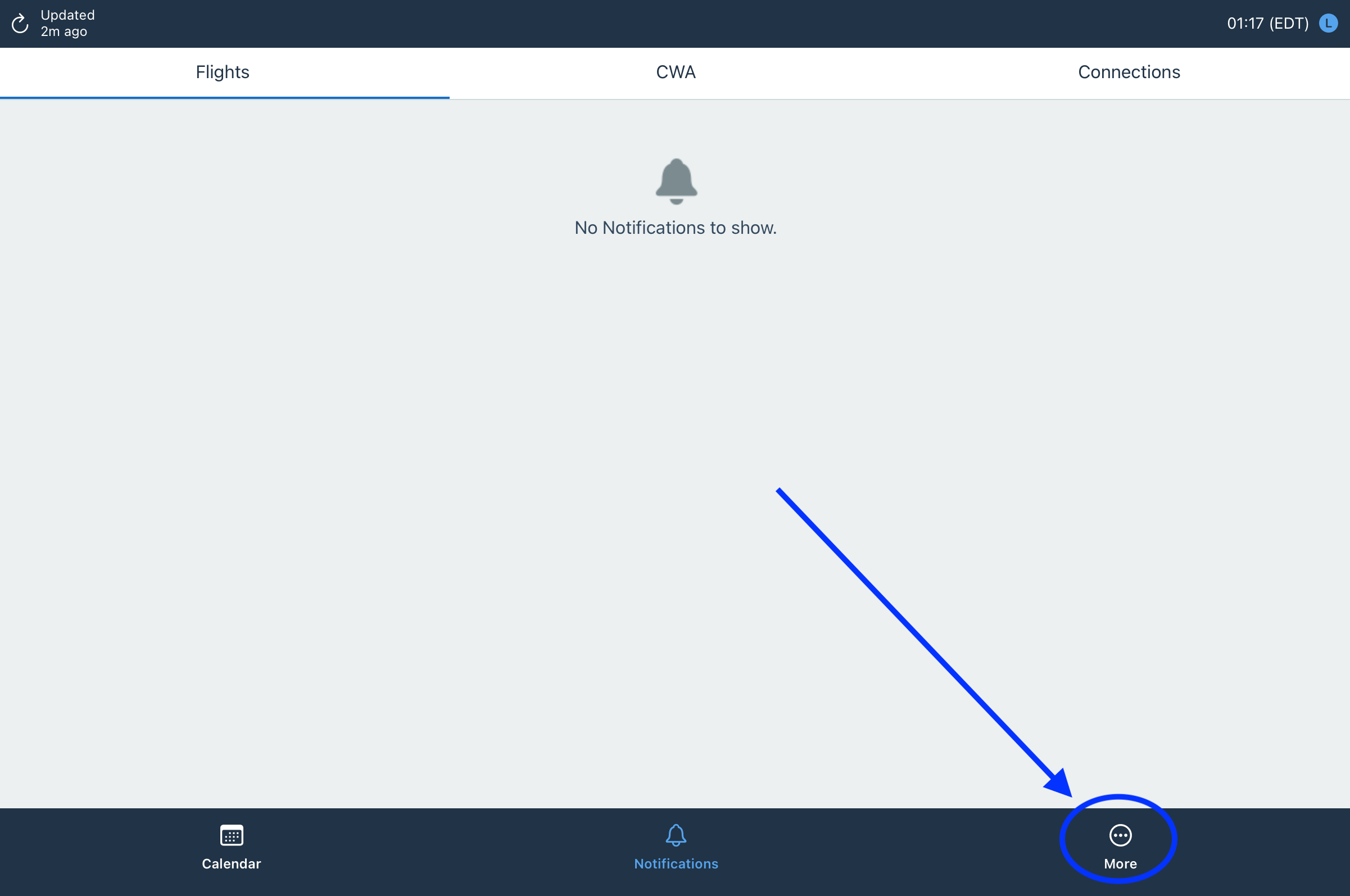
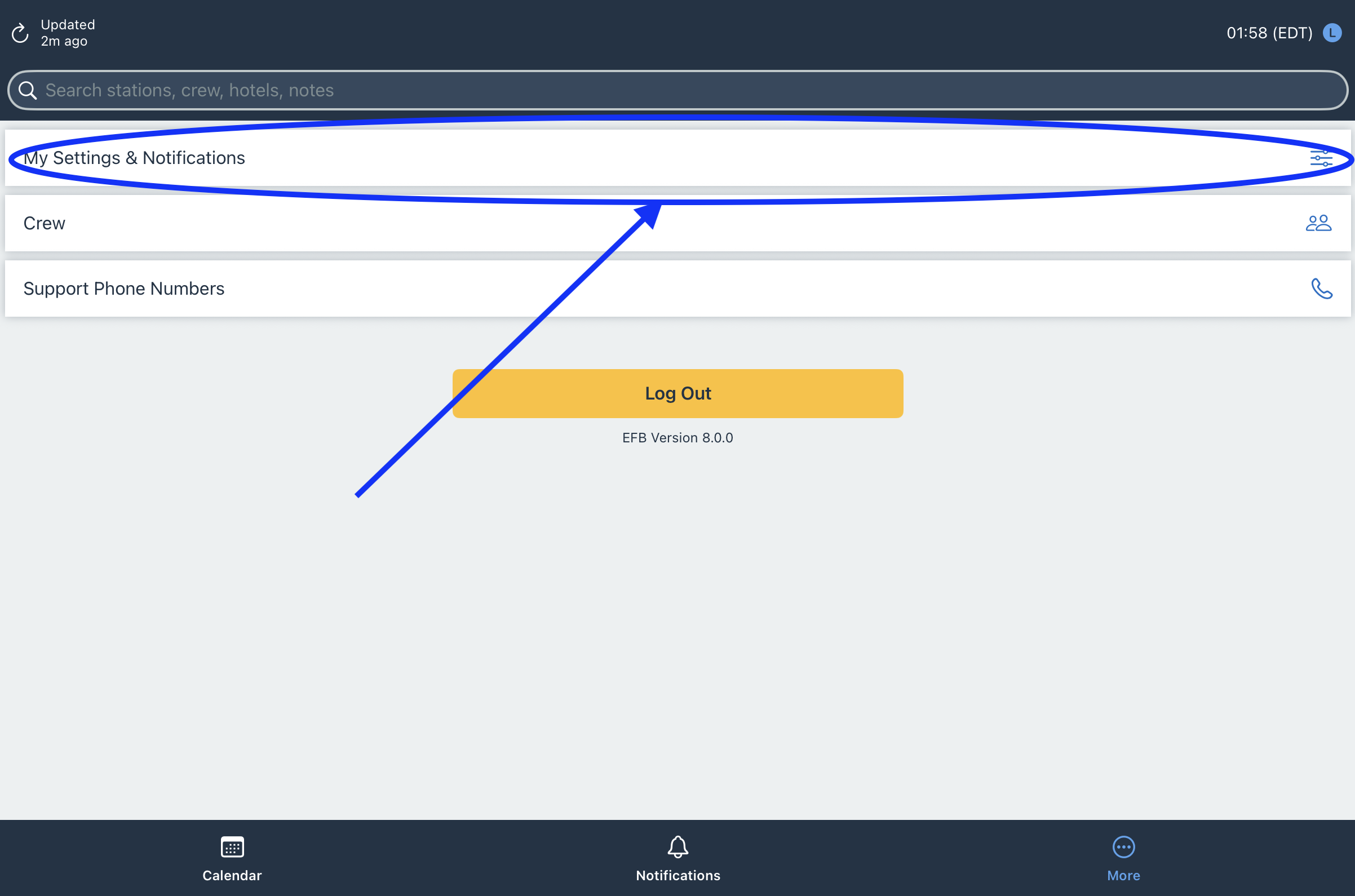
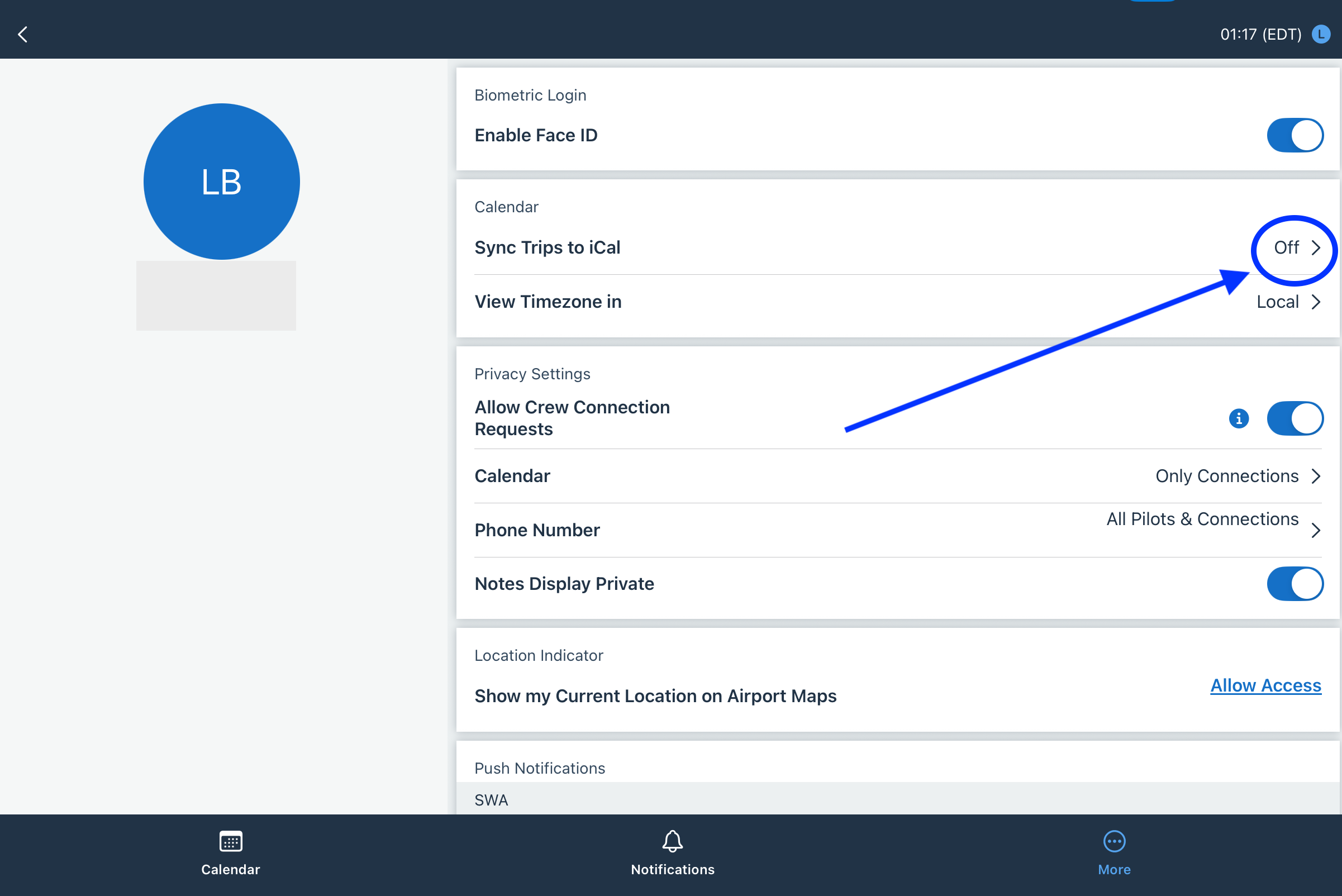
Don’t see any iCloud calendars listed? Go to Settings → [Your Name] → iCloud and make sure Calendars is turned on, then come back here. Still not seeing them? Email [email protected].
Step 3: Enter the URL in CrewWX
Keep your calendar URL private — anyone with it can view your schedule.
B — Connect CrewHub to an Existing Calendar ▼
You already have a public iCloud calendar, but haven’t connected CrewHub to it yet.
Step 1: Connect CrewHub to your calendar
Don’t see any iCloud calendars listed? Go to Settings → [Your Name] → iCloud and make sure Calendars is turned on, then come back here. Still not seeing them? Email [email protected].
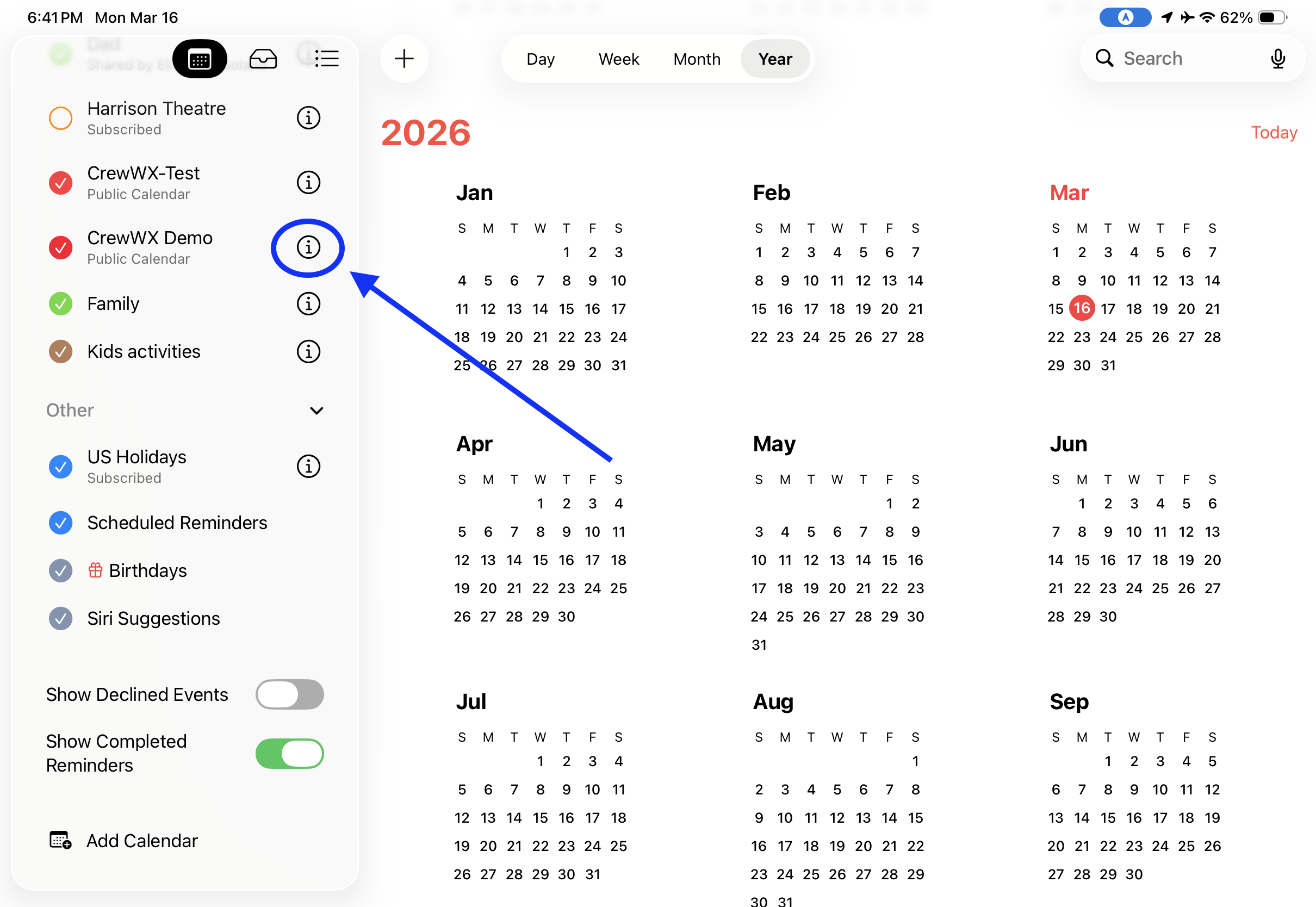
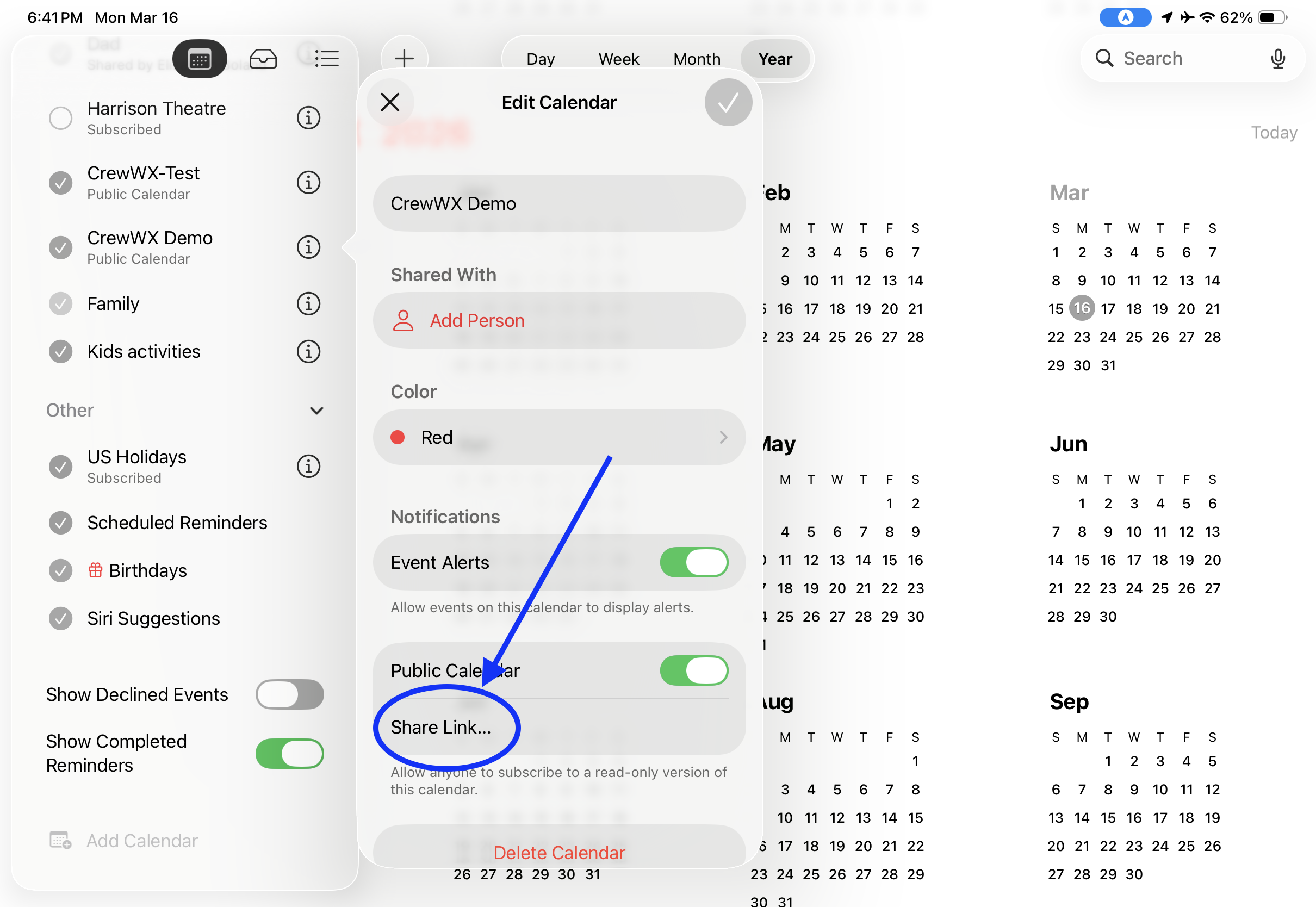
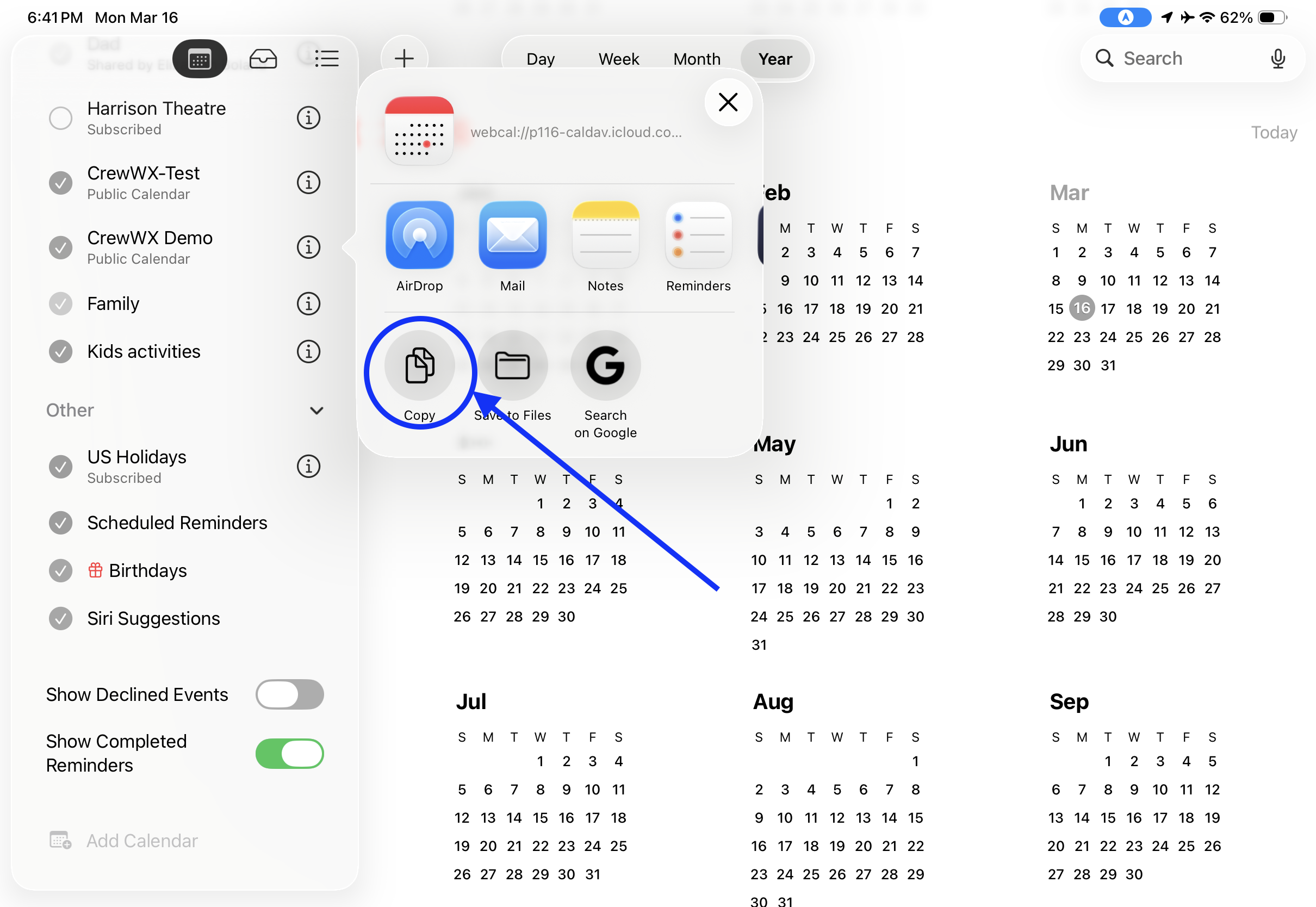
Step 2: Copy your calendar link and enter it in CrewWX
C — Make Your Calendar Shareable ▼
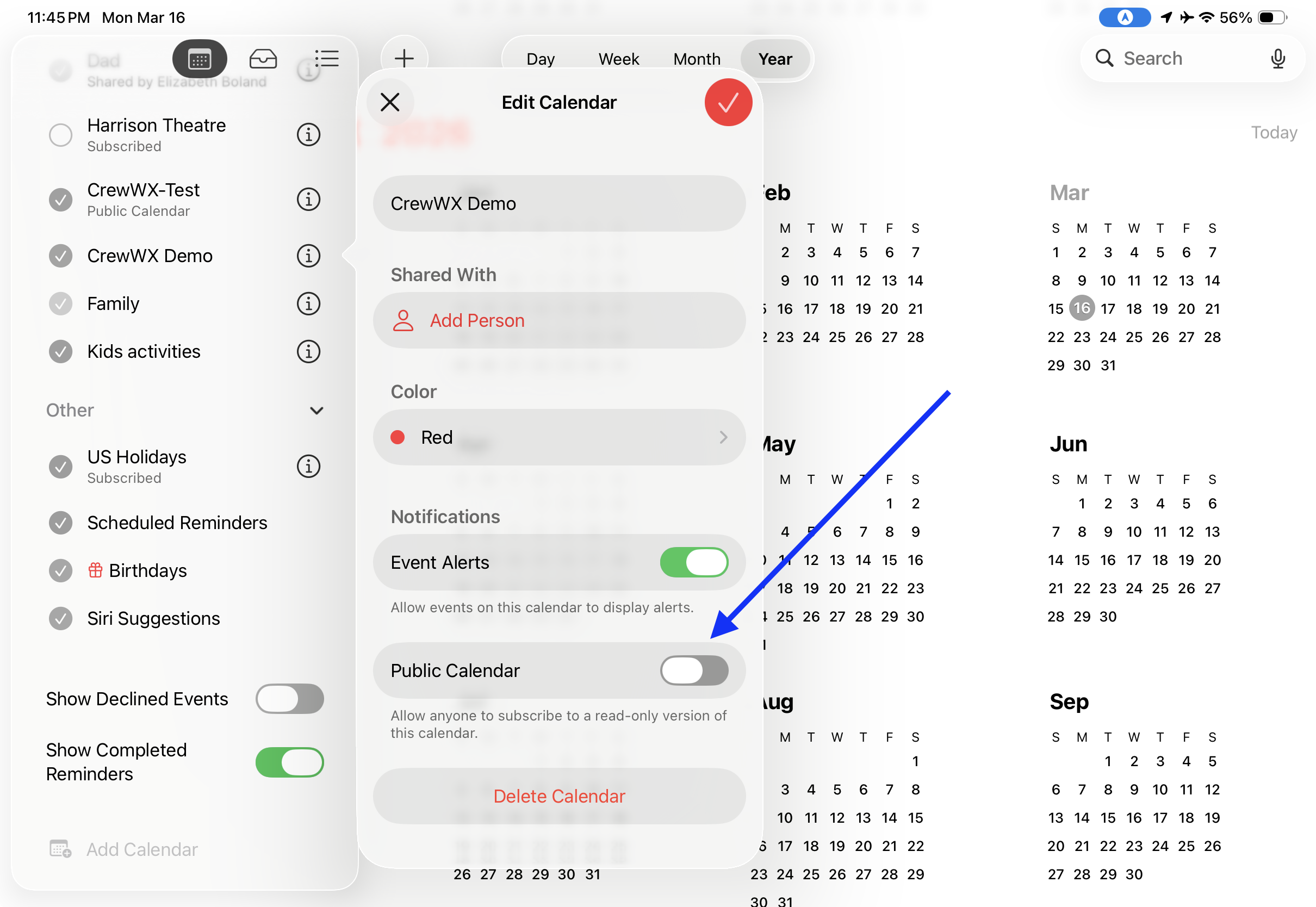
CrewHub is already syncing your trips, but your calendar is private. You need to make it public so CrewWX can read it.
On iPhone or iPad
On Mac
Keep your calendar URL private — anyone with it can view your schedule.
D — Get Your Calendar URL ▼
CrewHub is already syncing to a public calendar. You just need to copy the link and paste it into CrewWX.
On iPhone or iPad
On Mac
Test Your Calendar URL
Paste your iCloud calendar URL below to confirm it’s working before signing up or submitting an update. The calendar address should start with either webcal:// or https://
Troubleshooting: My Calendar URL Stopped Working
Apple occasionally resets your calendar’s public URL — this can happen after an iCloud password change or certain account updates. Your trips are still syncing in CrewHub; the link just needs to be refreshed.
Follow the steps in Scenario C or Scenario D above to re-share your calendar and get a new link, then submit it at crewwx.com/update.
Update Your Settings
Need to update your email address, calendar URL, home airport, name, or how early alerts start? Visit crewwx.com/update, enter your current email address, and we’ll send you a secure link good for 24 hours.
Privacy
We collect only what's needed to send your weather alerts: your name, email address, employee number (for employment verification only), home airport, and iCloud calendar URL. We do not sell your data or share it with third parties. You can cancel your alerts at any time by clicking the Unsubscribe link at the bottom of any email.
Contact
Questions, feedback, or something broken? Email [email protected] — we read every message.
Looking for answers? Visit the FAQ →
CrewWX is an independent service and is not affiliated with, endorsed by, or sponsored by Southwest Airlines Co. Southwest Airlines® is a registered trademark of Southwest Airlines Co. All rights reserved. CrewWX is not a Southwest Airlines product or service. Use of this tool is at your own discretion and subject to your employer’s applicable policies regarding personal device use and third-party applications. Weather data is provided by third-party services and is not guaranteed to be accurate, current, or complete. CrewWX is not responsible for any decisions made based on information provided.